MUL Maker
An Adobe Illustrator CEP extension that automates placement model creation through intelligent image search and batch processing
The Challenge
The graphics team needed to create placement models for logo approval requests. The manual process of searching for garment images online and creating consistent mockups was time-consuming and prone to errors, creating a bottleneck in their workflow.
Graphics Team Creates Models
Jet Sport's graphics team creates placement models using Illustrator, ensuring accurate logo positioning and sizing.
Upload to Webshop
Placement models are uploaded to Jet Sport's webshop where customers can review them with their clients.
Review & Feedback
Customers review the models with their clients and send feedback and correction requests back to Jet Sport.
How MUL Maker Works
MUL Maker is an Adobe CEP extension that automates the placement model creation process through intelligent image search, automatic pair matching, and batch import capabilities.
Automated Workflow
- Automatically resizes images according to Jet Sport's standards
- Positions items according to internal placement guidelines
- Maintains consistent spacing and alignment across all items
- Imports multiple items into a single organized Illustrator file
Intelligent Image Search
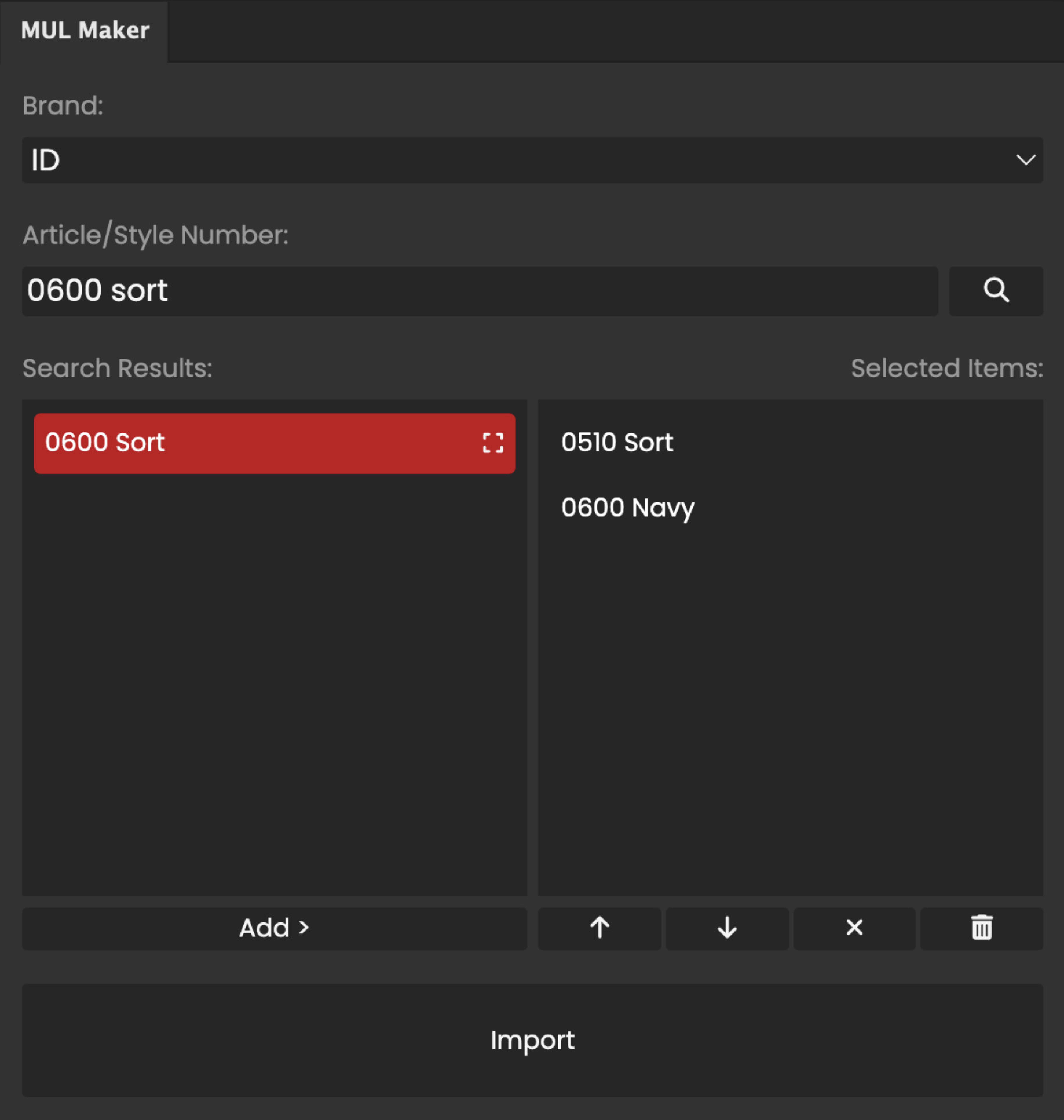
Searches through a large, structured image library of clothing items organized by brand, model, and colorway for quick access to the right garments.
Automatic Pair Matching
Automatically matches and imports front/back image pairs, eliminating the manual search for corresponding views of the same garment.
Batch Import
Import multiple clothing items at once into a single Illustrator file, dramatically speeding up the creation of multiple placement models.
Problem & Solution
Before MUL Maker
- Designers had to manually search for front and back images online
- Image quality and proportions were inconsistent
- Creating many placement models was slow and error-prone
- No standardized spacing or positioning guidelines
- Time-consuming repetitive tasks reduced creative focus
With MUL Maker
- Speeds up the creation of placement models
- Easy access to the most commonly requested brands and items
- Consistent, production-ready mockups every time
- Automated sizing and positioning according to internal standards
- Frees up designer time for more creative work
Project Outcomes
- Reduced placement model creation time
- Standardized image quality across all placement models
- Enabled the graphics team to handle more placement requests
- Improved consistency and reduced revision cycles
- Enhanced workflow efficiency for Jet Sport's entire production pipeline
Team & Credits
Concept & Development
Nicklas Stampe Raabjerg
Technology Stack
Adobe CEP, Illustrator Scripting, JavaScript
Company
Jet SportExplore More Projects
Discover other interactive experiences and creative solutions I've developed.
View All Projects